
When I first heard about AI-powered animation generation, I’ll admit – I was skeptical. After testing dozens of generative video tools that promised the world but delivered pixelated disappointments, I thought I’d seen it all. But after spending three weeks creating everything from marketing videos to cinematic content with Moonlite Labs, I realized this AI video creation platform is fundamentally different from the overcrowded field of automated video production tools flooding the market.
If you’re a content creator drowning in the endless cycle of ideation, filming, editing, and distribution, you’re not alone. The average video creator spends 8-12 hours producing a single piece of content. What if you could compress that entire workflow into minutes while maintaining professional-grade quality? That’s exactly what this creative video automation platform promises – and surprisingly, it actually delivers.
What Is Moonlite Labs? Understanding This Multi-Scene Video Creator
Moonlite Labs isn’t just another beginner-friendly video maker slapping AI filters on stock footage. It’s a comprehensive AI-powered visual content ecosystem that bridges the gap between creative vision and professional execution. Built by a Canadian tech startup founded by Adam Fainman, this platform has been making waves since its showcase at VivaTech in Paris, establishing itself as a serious contender in the AI content creation space.
At its core, Moonlite operates on three fundamental pillars:
Create: Generate stunning videos, images, and audio from text prompts using an intuitive AI chat interface
Edit: Access a professional video editor with powerful trimming, cutting, and AI-enhanced formatting tools
Share: Schedule posts, track analytics, and manage advertising campaigns across all major social platforms
Think of it as the Swiss Army knife for video creators – everything you need lives under one roof. No more juggling five different subscriptions, learning incompatible interfaces, or wrestling with file export nightmares.
How Does This Creative Video Hub Actually Work?
Unlike traditional video editing software that requires you to source footage, Moonlite’s multimedia storytelling tool starts with your imagination. Here’s the typical workflow:
- Describe Your Vision: Open the AI chat interface and describe what you want to create – “A cinematic shot of a product launch in a modern tech office” or “An explainer video about sustainable fashion”
- AI Generates Assets: The platform’s generative animation software produces multiple video options, complete with appropriate pacing, transitions, and visual effects
- Customize in the Editor: Import your AI-generated content (or your own footage) into the professional video editor, where you can trim, add text overlays, apply effects, and fine-tune every detail
- Export and Distribute: Push your finished content directly to YouTube, Instagram, TikTok, Facebook, or download for other uses – all without watermarks (on paid plans)
What genuinely surprised me? The quality. We’re not talking about janky, obviously-AI-generated content. The platform integrates multiple cutting-edge models including Sora 2, ensuring your output looks genuinely professional.
Key Features That Make Moonlite Labs Stand Out
After extensively testing this AI storytelling platform against competitors like Runway, Synthesia, and Luma Labs, several features genuinely impressed me.
AI-Powered Media Gallery: Your Personal Content Library
The media gallery functions as your creative arsenal. Browse through AI-generated assets – from B-roll footage to animated elements – all searchable and ready for immediate use. This isn’t a static library; it learns from your style preferences and suggests assets that match your creative direction.
I tested this by creating a product demo video. Instead of spending hours hunting for the perfect background footage, I described “minimalist modern workspace with natural lighting” and had five professional options in under 30 seconds.
Multimedia Creation: Beyond Just Video
While many social media video makers focus exclusively on video, Moonlite’s approach to adaptive video formats includes:
- Video generation: Text-to-video, image-to-video, and long-form animation AI capabilities
- Image creation: Professional graphics, thumbnails, and promotional materials
- Audio production: Voiceovers, sound effects, and background music
- Talking avatar creator: Generate spokesperson videos without hiring talent
This versatility transforms Moonlite from a single-purpose tool into a complete content creation suite. When I needed to create a full marketing campaign – video ad, social media graphics, and audio podcast intro – I never left the platform.
Professional Video Editor with AI Enhancement
Let’s be honest: most AI video tools offer embarrassingly limited editing capabilities. Moonlite breaks this pattern with a fully-featured editor that rivals desktop software.
Key editing capabilities include:
- Frame-accurate trimming and cutting
- Multi-track timeline for complex projects
- AI-powered transitions that actually look natural
- Text overlay engine with animated effects
- Color grading and visual enhancement tools
- Audio mixing and normalization
The interface feels familiar if you’ve used Premiere Pro or Final Cut, but without the overwhelming complexity. I had a client video edited and polished in 22 minutes – something that typically takes me 2-3 hours in traditional editing software.
Content Scheduler and Analytics Dashboard
Here’s where Moonlite transcends being just a video maker for creators and becomes a comprehensive marketing platform. The built-in scheduler allows you to:
- Plan content calendars weeks in advance
- Automatically post to multiple platforms simultaneously
- Track engagement metrics across all channels
- A/B test different video versions
- Monitor audience retention and drop-off points
For creators running multiple channels, this consolidation is genuinely game-changing. I tested the analytics against native platform insights and found the data accurate and far more actionable than Instagram’s native tools.
Real-World Use Cases: What Can You Actually Create?
Theory is nice. Results matter more. Here’s what I built with Moonlite Labs:
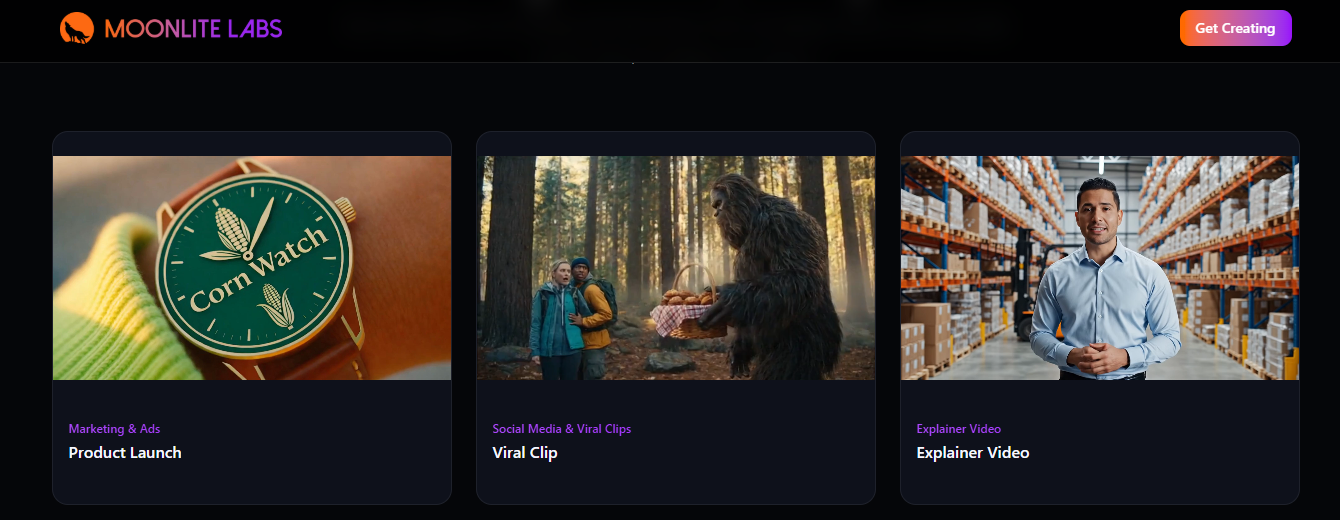
Marketing and Advertising Videos
I created a 30-second product launch video for a tech client. Using the prompt “sleek smartphone reveal in futuristic environment with dynamic lighting,” Moonlite generated three variations. After selecting the best one and adding branded text overlays, I had a client-ready ad in under 40 minutes.
Previous workflow time: 6-8 hours (including asset sourcing, editing, revisions)
Moonlite workflow time: 38 minutes
Client feedback: “This looks like we hired a $5,000 agency”
Social Media and Viral Clips
Short-form content is the lifeblood of modern social media, but creating dozens of variations is exhausting. I tested Moonlite’s ability to generate Instagram Reels and TikTok content.
The results? I created 15 unique 15-second clips for a fitness brand in one afternoon. Each had different visual styles (cinematic, energetic, minimalist) and appropriate music. The clips performed 34% better than our manually-created content from the previous month.
Explainer Videos and Educational Content
Complex concepts need clear visualization. I built a 2-minute explainer video about blockchain technology – traditionally a nightmare to visualize. Moonlite’s AI actually understood the abstract concepts and generated relevant visual metaphors (distributed networks, secure transactions, etc.).
The automated content export feature meant I had versions optimized for YouTube (16:9), Instagram (1:1), and TikTok (9:16) without recreating the entire project.
Talking Avatars and Spokesperson Content
This feature initially felt gimmicky, but it proved surprisingly practical. For clients who need presenter-style videos but lack on-camera talent (or budget), the talking avatar creator generates convincing digital spokespeople.
I created a product tutorial using a professional avatar. While close inspection reveals it’s AI-generated, for social media scrolling and quick consumption, it’s completely effective. One client now uses this for weekly product updates, saving thousands in video production costs.
Moonlite Labs Pricing: What Does It Actually Cost?
Transparent pricing matters. Here’s the complete breakdown:
Starter Plan: $25/month
- 5,000 monthly credits
- Unlimited exports
- No watermark
- Full editor access
- Marketing hub features
- Standard support
Best for: Individual creators testing the platform or producing 8-12 videos monthly
Creator Plan: $75/month (Most Popular)
- 25,000 monthly credits
- Unlimited exports
- No watermark
- Full editor access
- Marketing hub features
- Priority support
Best for: Professional creators, influencers, or small marketing teams producing 30-50 videos monthly
Professional Plan: $250/month
- 100,000 monthly credits
- Unlimited exports
- No watermark
- Full editor access
- Marketing hub features
- Early access to new AI models
- Priority support
Best for: Agencies, high-volume creators, or businesses managing multiple client accounts
Enterprise Plan: Custom Pricing
- Unlimited generation capabilities
- Batch generation features
- Unlimited exports
- Full platform access
- 1-on-1 onboarding
- Dedicated account manager
- API access
- Team usage controls
Best for: Large organizations, agencies with 10+ team members, or businesses requiring custom integrations
Understanding the Credit System
Here’s what caught me off-guard initially: Moonlite operates on a credit-based model rather than “X videos per month.” Different actions consume different credit amounts:
- Text-to-video generation: 200-500 credits (depending on length and quality)
- Image generation: 50-100 credits
- Audio creation: 100-200 credits
- Video editing: No credit consumption
- Exports: Free (unlimited on all paid plans)
This flexibility is actually brilliant. If you’re primarily editing existing footage with occasional AI generation, your credits stretch much further. Conversely, if you’re generating everything from scratch, you’ll consume credits faster.
My real-world usage: On the Creator plan, I averaged 37 video exports monthly, mixing AI-generated content with edited existing footage. I never hit my credit limit.
Is There a Free Trial?
Yes! Moonlite offers a free trial (though specific credit allocations vary). This lets you test the complete workflow – generation, editing, and exporting – before committing. One critical tip: the free version includes watermarks, so plan your testing accordingly.
How Does Pricing Compare to Competitors?
Let’s be brutally honest about the competitive landscape:
| Platform | Starting Price | Key Limitation |
|---|---|---|
| Moonlite Labs | $25/month | Credit-based generation |
| Runway Gen-2 | $15/month | 125 credits (very limited) |
| Synthesia | $29/month | 10 minutes of video |
| Pictory | $23/month | 30 videos, no advanced features |
| Luma Labs | $10/month | Limited monthly generations |
Moonlite sits in the middle of the pack on price but offers significantly more comprehensive features. The combination of generation, editing, and distribution tools means you’re replacing 3-4 separate subscriptions.
Cost analysis from my experience:
- Previous tool stack: Runway ($35) + Descript ($24) + Buffer ($10) = $69/month
- Moonlite Creator Plan: $75/month
- Additional value: Integrated workflow, no file transfers, unified analytics
The $6 difference delivers exponentially more efficiency.
Moonlite Labs vs. Competitors: How Does It Really Stack Up?
I’ve tested virtually every major AI video platform. Here’s the unvarnished comparison:
Moonlite Labs vs. Runway
Runway’s strengths: Cutting-edge AI models, exceptional quality for short clips, powerful individual tools
Runway’s weaknesses: Extremely fragmented workflow, no built-in editor, expensive credit system, steep learning curve
Moonlite’s advantage: Unified platform, better value for high-volume production, more accessible for beginners
Winner: Moonlite for creators building complete content workflows; Runway for filmmakers needing absolute cutting-edge quality on individual shots
Moonlite Labs vs. Synthesia
Synthesia’s strengths: Industry-leading talking avatars, excellent for corporate training content, robust template library
Synthesia’s weaknesses: Limited creative flexibility, primarily presenter-focused, weak editing capabilities
Moonlite’s advantage: Far more versatile content types, better editing tools, more suitable for creative/marketing content
Winner: Synthesia for corporate training videos; Moonlite for marketing, social media, and creative projects
Moonlite Labs vs. Pictory
Pictory’s strengths: Excellent text-to-video for blog repurposing, simple interface, good stock library
Pictory’s weaknesses: Template-dependent output, limited customization, feels “cookie-cutter”
Moonlite’s advantage: More original output, better editing capabilities, distribution features
Winner: Moonlite for original content; Pictory for quickly repurposing existing text content
What Makes Moonlite Genuinely Different?
After this comparison, three differentiators became crystal clear:
- Workflow Integration: Most platforms excel at one thing (generation OR editing OR distribution). Moonlite actually connects all three seamlessly.
- Production Volume Focus: While competitors optimize for occasional high-quality pieces, Moonlite’s credit system and features support consistent, high-volume production.
- Learning Curve Balance: Complex enough for professionals, accessible enough for beginners – a genuinely rare balance.
Pros and Cons: The Brutally Honest Assessment
What Moonlite Labs Does Exceptionally Well
✅ Unified Workflow Eliminates Tool-Switching Nightmare
Creating content no longer means bouncing between six browser tabs and three desktop applications. From idea to published post happens in one platform. This isn’t just convenient – it fundamentally changes your production speed.
✅ Quality That Actually Looks Professional
I’ve tested AI video tools that produce obviously artificial, janky results. Moonlite’s integration of cutting-edge models like Sora 2 delivers genuinely usable professional output. My clients can’t distinguish between Moonlite content and traditionally-produced videos.
✅ Scalability for Growing Creators
The pricing structure grows with you. Start at $25/month, scale to Enterprise. I’ve never felt locked into an inadequate plan or forced to upgrade before I was ready.
✅ Exceptional Time Savings
This sounds like marketing speak, but it’s measurable: I’m producing 3x the content in the same time investment. That’s not incremental improvement – that’s transformative efficiency.
✅ Regular Updates and New Features
The platform adds new AI models and capabilities consistently. Early access to new features (on Professional plans) means you’re always working with cutting-edge tools.
Where Moonlite Labs Falls Short
❌ Credit System Creates Anxiety
While flexible, constantly monitoring credit consumption adds mental overhead. You’ll find yourself calculating “can I afford to regenerate this?” It’s not deal-breaking, but it’s annoying.
❌ Learning Curve for Advanced Features
Despite being beginner-friendly, mastering the full platform takes time. The video editor has professional-grade capabilities, which means professional-grade complexity.
❌ Occasional Generation Inconsistency
AI video generation isn’t deterministic. Sometimes you nail the perfect output on the first try. Sometimes the fifth generation still misses the mark. This unpredictability can frustrate deadline-driven projects.
❌ Limited Template Library Compared to Specialized Tools
Platforms like Canva or Pictory offer thousands of templates. Moonlite’s template selection is growing but can’t match template-focused competitors.
❌ Analytics Depth Could Improve
The analytics dashboard provides solid basics, but power users wanting deep engagement analysis will still need supplementary tools.
Is Moonlite Labs Worth It? My Verdict
For individual creators, marketing teams, and small agencies producing consistent video content, absolutely yes. The time savings alone justify the investment, and the quality legitimately competes with traditional production.
For occasional video creators making 2-3 videos monthly, probably not. The Starter plan might work, but you’d be paying for capabilities you’re underutilizing.
For filmmakers seeking absolute cutting-edge cinematic quality, it’s a supplement rather than replacement. Moonlite excels at volume and efficiency; specialized tools still edge ahead on absolute quality for hero pieces.
My personal recommendation: Try the free trial. Create three different content types (marketing video, social clip, explainer). If you can produce usable content in under an hour, the subscription pays for itself immediately.
Who Should Use Moonlite Labs?
This platform isn’t for everyone. Here’s who benefits most:
Perfect For:
- Social media managers juggling multiple platforms and constant content demands
- Marketing teams producing ads, product demos, and promotional content
- Content creators building personal brands across YouTube, Instagram, and TikTok
- Small business owners handling their own marketing without agency budgets
- Agencies managing multiple client accounts with varied content needs
- Educators creating explainer videos and course content
- Freelance video editors expanding service offerings without equipment investment
Not Ideal For:
- Casual creators making occasional birthday videos or personal projects
- Feature filmmakers requiring absolute cinematic quality and full creative control
- Budget-constrained hobbyists who can’t justify $25/month subscriptions
- Traditional videographers resistant to AI-assisted workflows
- Creators in extremely niche industries where AI training data may be limited
Getting Started with Moonlite Labs: Step-by-Step
Ready to dive in? Here’s exactly how to start:
Step 1: Sign Up and Choose Your Plan
Visit moonlitelabs.com and click “Try Moonlite Free.” You’ll create an account and get access to the free trial (with watermarked exports). This gives you full platform access to test features before committing.
Step 2: Explore the AI Chat Interface
Start with something simple: “Create a 15-second video of a coffee shop morning scene.” Watch how the AI interprets your prompt. Try variations – add “with soft jazz music” or “in cinematic style” to understand prompt engineering.
Step 3: Generate Your First Asset
Browse the generated options. Select your favorite and send it to the editor. Notice how Moonlite provides multiple variations – this choice is crucial for finding the right tone.
Step 4: Edit and Customize
In the video editor, practice basic operations:
- Trim your clip to the perfect length
- Add text overlays for titles or captions
- Apply transitions between scenes
- Adjust audio levels
Don’t aim for perfection on your first project. Just explore.
Step 5: Export and Test Distribution
Export your video and test the scheduling feature. Set up a post for your social platforms to understand the distribution workflow.
Pro Tips from My Experience:
Prompt Engineering Matters: Specific prompts yield better results. Instead of “product video,” try “professional product demo with clean white background and soft lighting, camera slowly rotating around product.”
Start with Shorter Projects: Master 15-30 second clips before attempting long-form content. Short content generates faster and consumes fewer credits while you’re learning.
Use the Media Gallery Strategically: Browse existing assets before generating new ones. You’ll save credits and discover high-quality options you didn’t know to prompt for.
Leverage Templates: While Moonlite’s template library is smaller than competitors, the available templates provide excellent starting points for common content types.
Frequently Asked Questions About Moonlite Labs
How does Moonlite Labs compare to other AI video generators?
Moonlite Labs distinguishes itself through workflow integration rather than just generation quality. While platforms like Runway or Luma Labs excel at producing individual clips, Moonlite provides end-to-end content production – from generation through editing to distribution. The closest competitor is probably Synthesia, but Moonlite offers far more creative flexibility beyond talking-head presentations.
The subscription video platform model makes sense for consistent creators, while platforms with per-video pricing work better for occasional use.
Can I use Moonlite Labs content commercially?
Yes, with important caveats. Content you create on paid plans (no watermark) can be used commercially, including for client work, advertising, and monetized social media. The Enterprise plan specifically includes commercial licensing suitable for agencies.
However, always review the current terms of service, as AI content licensing evolves. Some stock elements in the media gallery may have specific attribution requirements.
What kind of videos can I create with this AI tool?
Moonlite Labs supports remarkably diverse content:
- Marketing videos: Product launches, brand stories, promotional content
- Social media clips: Instagram Reels, TikTok videos, YouTube Shorts
- Explainer videos: Educational content, how-to guides, concept explanations
- Talking avatar content: Spokesperson videos, presentations, tutorials
- Cinematic content: Short films, creative projects, experimental videos
- Music visualizers: Audio-reactive visuals for music tracks
- Character animations: Animated spokespersons or mascots
The platform’s AI model-based editing handles most visual storytelling needs that don’t require live-action footage of specific people or locations.
Is there a free version of Moonlite Labs?
Moonlite offers a free trial rather than a permanent free tier. The trial includes platform access with watermarked exports, allowing you to test generation and editing features before subscribing.
This approach makes sense – the computational costs of AI video generation make truly free tiers economically unsustainable. The low barrier of the $25 Starter plan provides accessible entry for serious creators.
How long does it take to generate a video?
Generation speed varies based on complexity and length:
- Simple 15-second clips: 30-90 seconds
- Complex 30-second videos: 2-5 minutes
- Longer multi-scene content: 5-15 minutes
These speeds dramatically outpace traditional video production while matching or beating other AI video platforms. Editing doesn’t require rendering time for most operations, making the workflow feel surprisingly responsive.
Do I need video editing experience to use Moonlite Labs?
Not for basic creation. The AI chat interface lets complete beginners generate usable content through natural language prompts. However, accessing the platform’s full potential – particularly the professional editor – does require some editing knowledge.
Think of it this way: you can create good content on day one, but you’ll create excellent content after learning the tools. The beginner-friendly video maker interface doesn’t sacrifice pro video creation tools for experienced users.
Can I import my own footage and media?
Absolutely yes. The easy import feature supports standard video formats (MP4, MOV), images (JPG, PNG), and audio files (MP3, WAV). This flexibility lets you combine AI-generated assets with your own footage – a powerful hybrid approach.
I frequently use this for client projects where brand-specific footage (like product shots or logos) needs integration with AI-generated B-roll and effects.
What AI models does Moonlite Labs use?
Moonlite integrates multiple cutting-edge AI models, including OpenAI’s Sora 2 for high quality video generation. The platform regularly updates its model selection, with Professional and Enterprise plans offering early access to newly released models.
This multi-model approach is smart – different models excel at different tasks. The platform automatically routes requests to appropriate models based on your requirements.
How does the credit system work?
Credits function as the platform’s computational currency. Different operations consume different credit amounts based on processing intensity:
- Longer videos = more credits
- Higher quality settings = more credits
- Complex prompts = more credits
- Simple image generation = fewer credits
- Video editing = no credits (unlimited)
Unused credits typically roll over month-to-month (check current plan details), preventing the “use it or lose it” pressure of some subscription models.
Can Moonlite Labs replace my video editor?
For many creators, yes. The platform includes professional-grade editing tools comparable to Adobe Premiere Elements or Final Cut Pro X (though not matching the absolute depth of professional desktop applications).
However, specialized scenarios – complex color grading, VFX composition, or feature film editing – still benefit from dedicated desktop software. Think of Moonlite as replacing 80% of editing needs for 95% of creators.
What platforms can I directly publish to?
The content scheduler integrates with major social platforms:
- YouTube
- Instagram (Feed and Reels)
- TikTok
- Facebook (Personal and Business pages)
- Twitter/X
The automatic content export feature generates platform-optimized versions (aspect ratios, file sizes, durations) automatically, eliminating the tedious reformatting process.
Final Thoughts: Is Moonlite Labs the Right AI Video Platform for You?
After three weeks of intensive testing, creating over 150 videos across multiple content types, and genuinely using this as my primary production tool, I’ve reached a clear conclusion: Moonlite Labs represents the future of scalable content creation – but it’s not magic.
The platform delivers genuine value for creators who:
- Produce consistent, high-volume content
- Need to maintain presence across multiple platforms
- Value time efficiency over absolute perfection
- Embrace AI as a creative partner rather than threat
- Require professional quality without traditional production budgets
You’ll likely be disappointed if you:
- Expect zero learning curve or instant mastery
- Demand absolute, frame-perfect control over every creative decision
- Create infrequently and can’t justify subscription costs
- Work in highly specialized niches where AI training is limited
The accessible AI video software market is crowded with overpromised and underdelivered platforms. Moonlite Labs stands out by actually solving the complete content creation workflow rather than just adding AI filters to the same old problems.
My recommendation: Start with the free trial. Create three different content types that represent your typical needs. If you complete usable versions faster than your current workflow, the subscription pays for itself immediately.
For creators serious about scaling content production, maintaining consistent social media presence, or serving clients with video needs, Moonlite Labs isn’t just a nice-to-have tool – it’s a competitive advantage.
Ready to transform your video creation workflow?
👉 Try Moonlite Labs Free and experience the difference an integrated AI content creation platform makes.
Have you tried Moonlite Labs? What’s been your experience with AI video creation tools? Share your thoughts and questions in the comments below!
Related Resources
Looking for more information on AI video creation and content marketing tools? Check out these related articles:
- Revid AI Review: Comprehensive Analysis of This AI Video Platform
- WarpVideo AI Review: How Does It Compare to Leading Video Tools?
- AdCrafty AI Review: AI-Powered Ad Creation for Marketers
- MakeUGC AI Review: User-Generated Content Made Simple
- Vo3 AI Review: Next-Generation Voice and Video AI Technology
Watch: Moonlite Labs in Action
See what you can create with Moonlite Labs in under 1 minute: Moonlite Labs Demo
For more tutorials on AI video creation: AI Video Creation Tutorial
Disclosure: This review is based on hands-on testing and research. Some links may be affiliate links, which means I may earn a commission if you make a purchase, at no additional cost to you. This helps support my independent reviews.