
Struggling with Slow Food Blog Loading Times?
Get blazing-fast server performance for your food photography. Start with reliable hosting that handles heavy images effortlessly.
Get Fast Food Blog HostingFood blogs that feature stunning recipe photography need serious server capacity to perform well. When a recipe page takes 8 seconds to load, visitors click away. Google notices. Search rankings drop. The problem often lies not in the design but in the hosting infrastructure underneath.
Choosing the right server capacity for image heavy food blogs involves understanding CPU power, RAM allocation, storage type, and bandwidth limits. Many food bloggers start with cheap shared hosting and wonder why their beautiful photography loads so slowly. The answer lies in how servers handle large image files.
This guide covers everything you need to know about server specifications for food blogs in 2026. We look at actual numbers, real costs, and practical optimization strategies that food bloggers use today.
Why Food Blogs Need More Server Power Than Standard Websites
Regular blogs store mostly text content. A typical WordPress post contains 1000-2000 words with maybe 3-5 small images. Food blogs operate differently. Each recipe requires multiple high-resolution photographs showing the dish from different angles, step-by-step images, and featured hero shots for social sharing.
A single food blog post might contain 15-25 images. Each image, in uncompressed form, ranges from 2MB to 8MB depending on camera resolution. Multiply this by the number of recipes published monthly, and you have a hosting environment handling gigabytes of image data constantly.
Research from HTTP Archive shows that images make up 50-80% of total webpage weight. For food blogs, this percentage often exceeds 85%. Every time a visitor loads a recipe page, the server must deliver these large image files quickly. Insufficient server capacity creates bottlenecks at this critical delivery stage.
How Image-Heavy Content Affects Server Resources
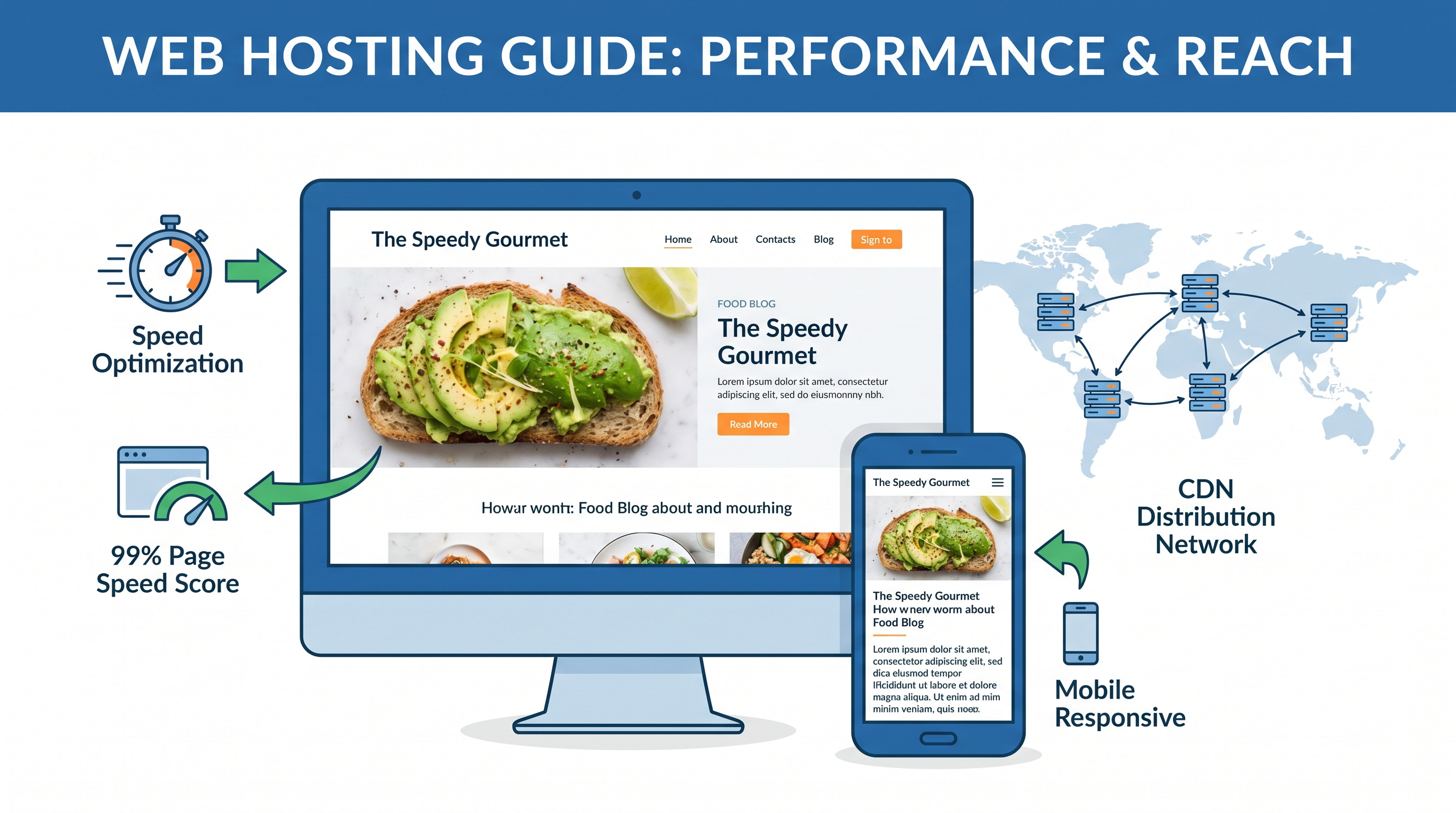
When your food blog receives 1000 visitors daily, each viewing 5 pages, your server processes 5000 page requests. Each request triggers multiple image file transfers. A page with 20 images means 100,000 individual file transfers daily. This data movement consumes CPU cycles, RAM, and network bandwidth continuously.
Shared hosting environments that work fine for text-heavy blogs fail under this load. Other websites on the same server compete for the same resources. Your food photography competes with someone else’s database queries. The result? Slower load times for everyone.
Key Insight: Studies show that 53% of mobile users abandon sites loading slower than 3 seconds. For food blogs where visitors often browse on phones while cooking, speed directly impacts engagement and recipe sharing rates.
Essential Server Specifications for Food Blog Hosting in 2026
Understanding server specs helps you make informed hosting decisions. Here are the minimum requirements for food blogs of different sizes.
Small Food Blogs (Under 100 Recipes, 50k Monthly Visitors)
- CPU: 2-4 cores (minimum)
- RAM: 4-6 GB
- Storage: 50-100 GB SSD
- Bandwidth: Unmetered or 500GB+ monthly
- PHP Version: PHP 8.1 or higher
Medium Food Blogs (100-500 Recipes, 50k-200k Monthly Visitors)
- CPU: 4-8 cores
- RAM: 8-16 GB
- Storage: 100-250 GB NVMe SSD
- Bandwidth: 1TB+ monthly
- PHP Memory Limit: 256MB+
Large Food Blogs (500+ Recipes, 200k+ Monthly Visitors)
- CPU: 8-16 cores
- RAM: 16-32 GB
- Storage: 500GB+ NVMe SSD
- Bandwidth: 2TB+ or dedicated connection
- Server Type: VPS, cloud, or dedicated
These numbers represent starting points. Food blogs with extensive archives, large image dimensions (2400px+ width), or high-resolution original files may need additional capacity regardless of visitor count.
Storage Type Matters: HDD vs SSD vs NVMe for Food Blog Images
The type of storage drive in your server affects how quickly image files transfer to visitors. This choice impacts Core Web Vitals scores that Google uses for ranking.
HDD (Hard Disk Drives)
Old technology. Uses spinning magnetic platters to read/write data. Transfer speeds max out around 150MB/s. Food blogs on HDD storage experience noticeable delays when loading image-heavy pages. Avoid for any modern food blog.
SATA SSD (Solid State Drives)
Uses flash memory with no moving parts. Read speeds reach 550MB/s, roughly 4x faster than HDD. Significant improvement over HDD for food blogs. Good choice for blogs with 200-300 high-resolution images per page.
NVMe SSD (Non-Volatile Memory Express)
Connects directly to PCIe bus rather than SATA controller. Transfer speeds exceed 3000MB/s. NVMe drives handle simultaneous image requests more efficiently. Recommended for food blogs with 500+ recipes and frequent traffic spikes.
Practical testing shows NVMe servers load image-heavy food blog pages 40-60% faster than SATA SSD equivalents. For visitor experience, this difference matters. Pages feel instantly responsive rather than gradually appearing.
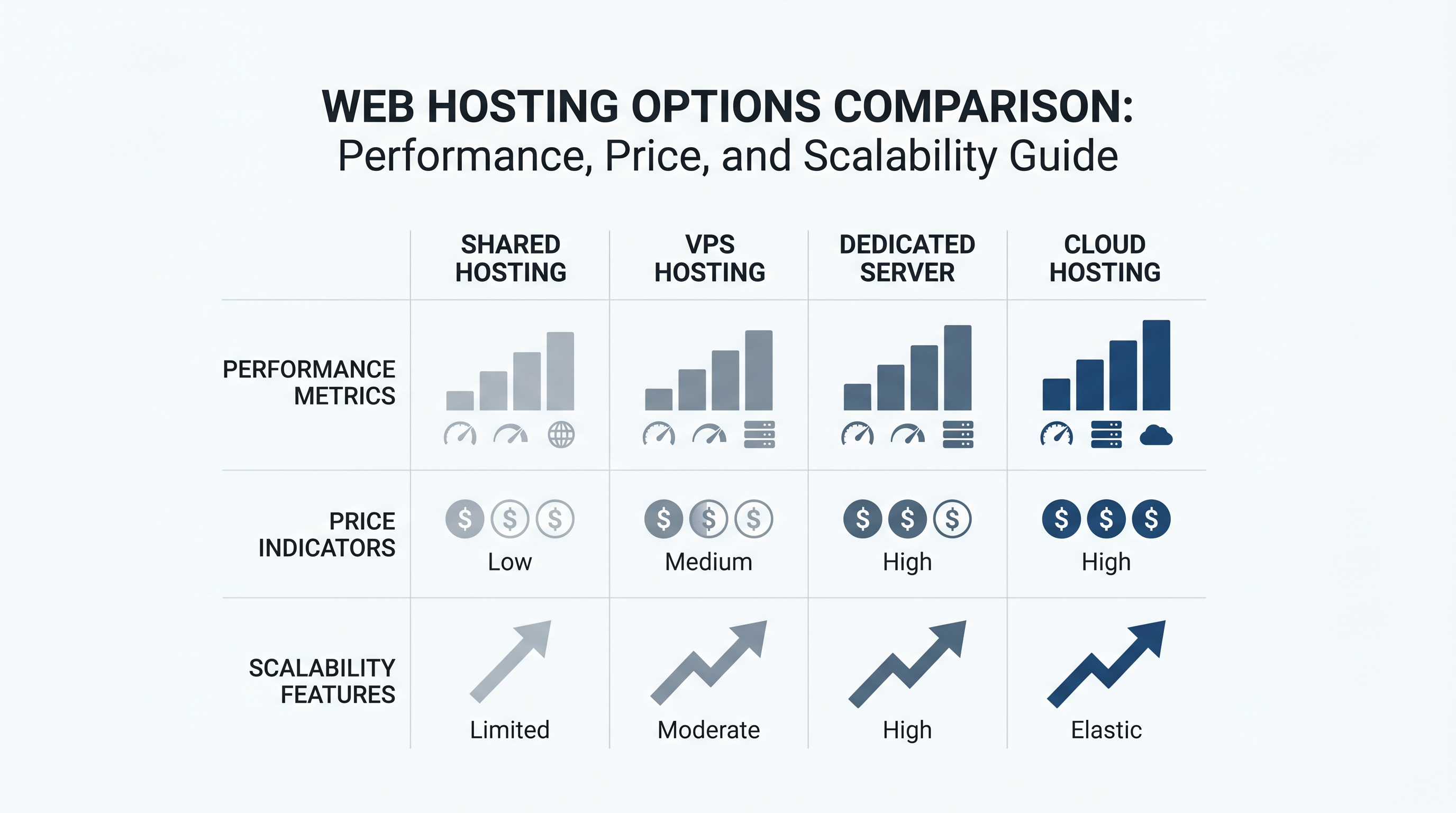
Comparing Hosting Types for Food Blogs with Heavy Images
Different hosting arrangements offer varying levels of server control and resource allocation. The right choice depends on your food blog’s current size and growth trajectory.
| Hosting Type | Best For | Cost Range | Performance |
|---|---|---|---|
| Shared Hosting | New food bloggers, under 30k visitors/month | $3-15/month | Basic, shared resources |
| Managed WordPress | Food bloggers wanting optimization without technical work | $15-50/month | Good, cached environment |
| VPS (Virtual Private Server) | Growing food blogs, 50k-200k visitors/month | $20-100/month | Excellent, dedicated resources |
| Cloud Hosting | Food blogs with variable traffic patterns | $0.02-0.08/GB compute | Scalable, pay-as-you-go |
| Dedicated Server | Large food blogs, 200k+ visitors/month | $100-500/month | Maximum, exclusive hardware |
For most food bloggers starting out, managed WordPress hosting provides the best balance of cost and performance. As the blog grows, migrating to VPS offers better resource isolation and customization options.
Related Reading
Compare different hosting providers for your food blog needs. Best WordPress hosting for food blogs guide has detailed reviews and pricing comparisons.
Understanding Bandwidth Requirements for Food Blog Image Delivery
Bandwidth determines how much data your server can send to visitors monthly. For image-heavy food blogs, this number must account for hundreds of megabytes per page view.
Calculating Your Food Blog’s Bandwidth Needs
Estimate your monthly bandwidth using this formula:
(Average page size in MB) × (Monthly visitors) × (Pages per visitor) = Monthly bandwidth
For a food blog with 60MB average page size (due to images), 30,000 monthly visitors, and 4 pages per visitor: 60 × 30,000 × 4 = 7.2TB monthly bandwidth needed.
Many budget hosting plans advertise “unmetered” bandwidth but actually throttle speeds after certain thresholds. Always read the fine print about fair usage policies and throttle thresholds.
Why CDN Is Essential for Food Blog Images
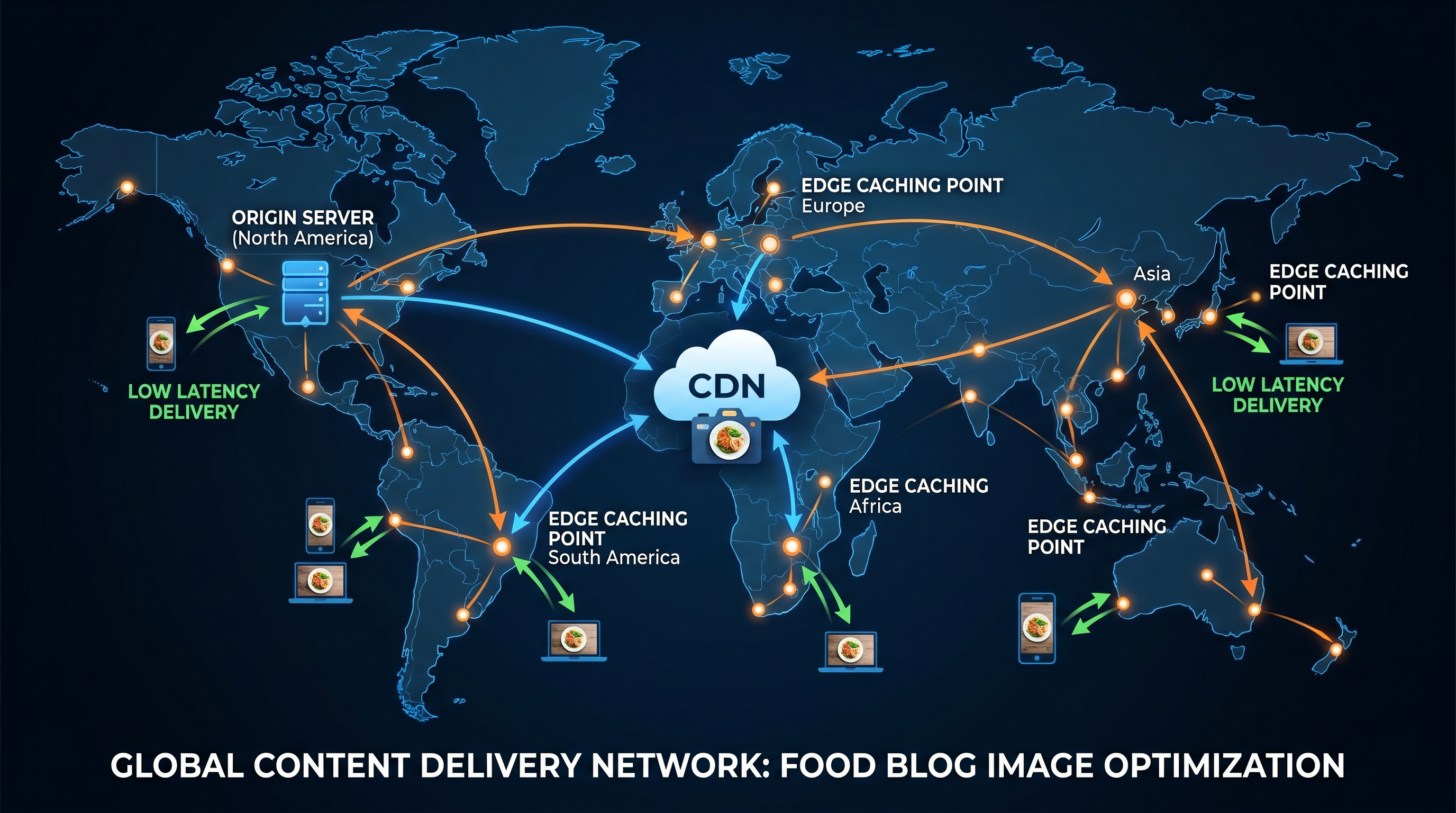
Content Delivery Networks solve bandwidth limitations by distributing your images across global server locations. When a visitor from London loads your food blog, they receive images from a London edge server rather than your main server in the US.
CDN usage reduces primary server bandwidth by 60-80% for most food blogs. Image files cached at edge locations load faster for geographically distant visitors. This infrastructure handles traffic spikes during recipe viral moments without requiring server upgrades.
Popular CDN options for food blogs include Cloudflare (free tier available), BunnyCDN (affordable pricing), and KeyCDN. Each offers different pricing structures and geographic coverage.
Speed Up Your Food Blog Images Today
Learn how to configure CDN, optimize images, and choose hosting that handles your photography without breaking the bank.
Start Your Food Blog FastHow Image Optimization Reduces Server Load and Improves Speed
Server capacity matters, but image optimization often provides greater impact. A well-optimized food blog on modest hosting outperforms a poorly optimized one on premium servers.
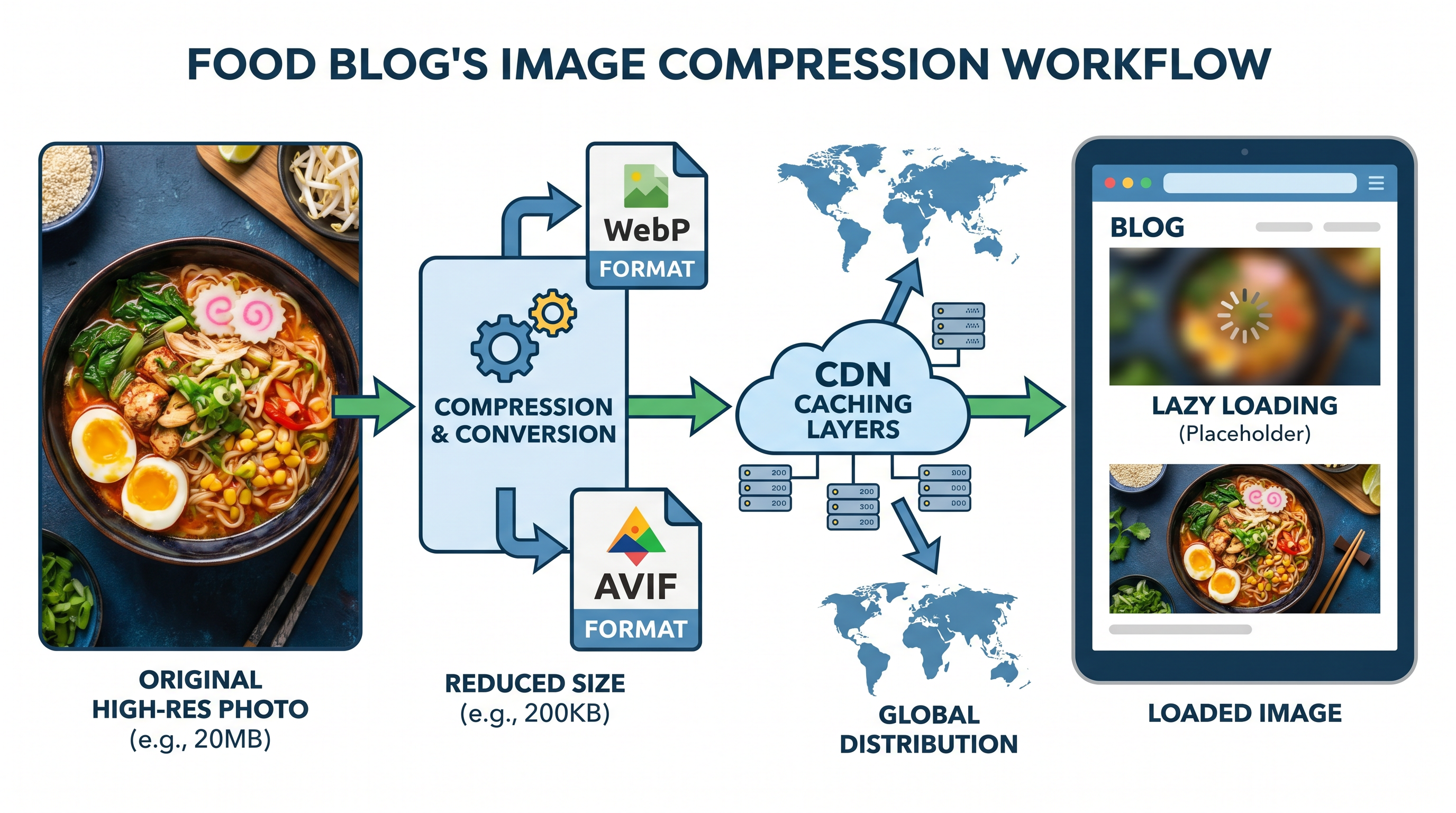
Modern Image Formats That Save Server Resources
JPEG format works for food photography, but newer formats deliver smaller file sizes with equal or better quality.
- WebP: 25-35% smaller than JPEG at similar quality. Supported by 96% of browsers.
- AVIF: 50% smaller than JPEG. Growing browser support expected in 2026.
- JPEG XL: Excellent quality, but limited browser support currently.
Serving WebP images to supporting browsers while falling back to JPEG for others captures most benefits. WordPress plugins like ShortPixel and Imagify automate this conversion.
Responsive Image Sizing
Serving 2400px wide images to mobile visitors wastes bandwidth and slows loading. Implement srcset attributes to serve appropriately sized images based on device viewport.
Typical responsive image sizes for food blogs: 480px (mobile), 768px (tablet), 1200px (desktop), 1920px (large screens). Only the largest featured images need 2400px versions.
Lazy Loading Implementation
Lazy loading defers off-screen image loading. A recipe page with 20 images loads only the first few immediately. Remaining images load as visitors scroll down. This technique reduces initial page payload by 40-60%.
Modern browsers support native lazy loading with the loading=”lazy” attribute. Add this to your image tags: <img src="image.jpg" loading="lazy" alt="description">
Real Server Costs for Food Blog Owners in 2026
Pricing varies significantly based on hosting type, provider, and included features. Here are realistic monthly costs based on current market data.
Budget-Friendly Options ($5-15/month)
Bluehost, HostGator, and similar shared hosting providers offer entry-level plans in this range. Suitable for food blogs with under 20,000 monthly visitors and fewer than 100 recipes. Image-heavy pages may load slowly during traffic spikes.
Mid-Range Options ($20-50/month)
SiteGround, WP Engine, and Kinsta offer managed WordPress hosting optimized for performance. These providers include caching, CDN integration, and automatic image optimization. Good choice for food blogs with 20k-100k monthly visitors.
Premium Options ($50-200/month)
VPS hosting from DigitalOcean, Linode, or Vultr provides dedicated virtual resources. Food blogs with 100k+ monthly visitors benefit from this tier. Requires some technical knowledge or managed services add-on.
Enterprise Solutions ($200+/month)
Dedicated servers or cloud hosting with auto-scaling handle large food blogs with millions of monthly visitors. AWS, Google Cloud, and DigitalOcean App Platform serve this segment. Necessary when viral recipes drive traffic spikes exceeding 10x normal volume.
Cost-Saving Tip: Most food bloggers overspend on hosting initially. Start with mid-range managed WordPress hosting. Upgrade to VPS only when load times exceed 4 seconds or server resource usage regularly exceeds 80%.
Monitoring Your Food Blog’s Server Performance
Regular monitoring helps identify capacity issues before they impact visitors. Free tools provide sufficient insight for most food blogs.
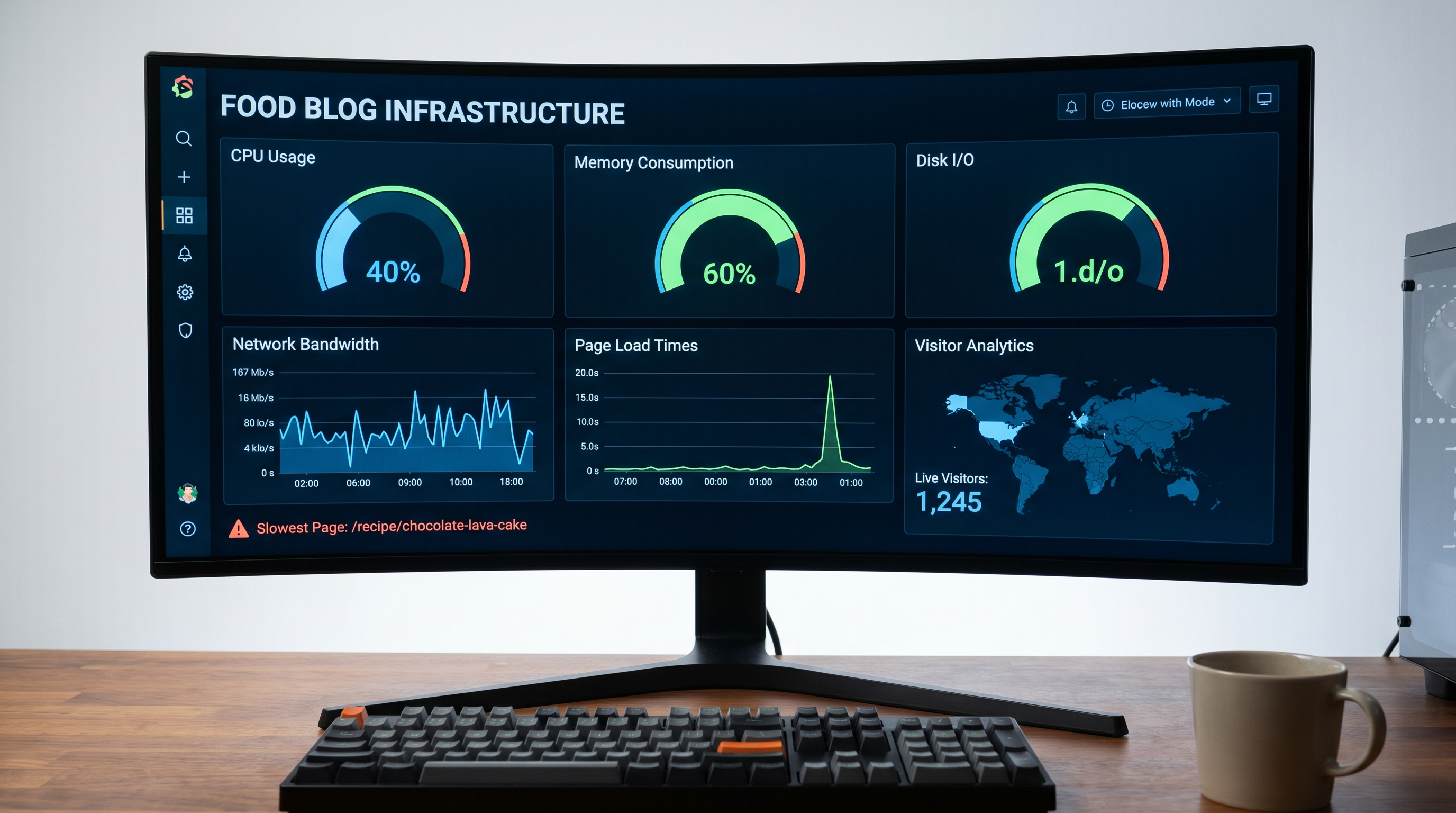
Essential Monitoring Tools
- Google PageSpeed Insights: Tests actual page load times from real locations. Free. Shows Core Web Vitals scores.
- GTmetrix: Detailed page analysis showing waterfall charts, file sizes, and optimization recommendations.
- New Relic (Free Tier): Server-level monitoring for CPU, RAM, and disk usage over time.
- cPanel/AhMetrics: Most hosts provide built-in analytics for resource usage.
Key Performance Metrics to Track
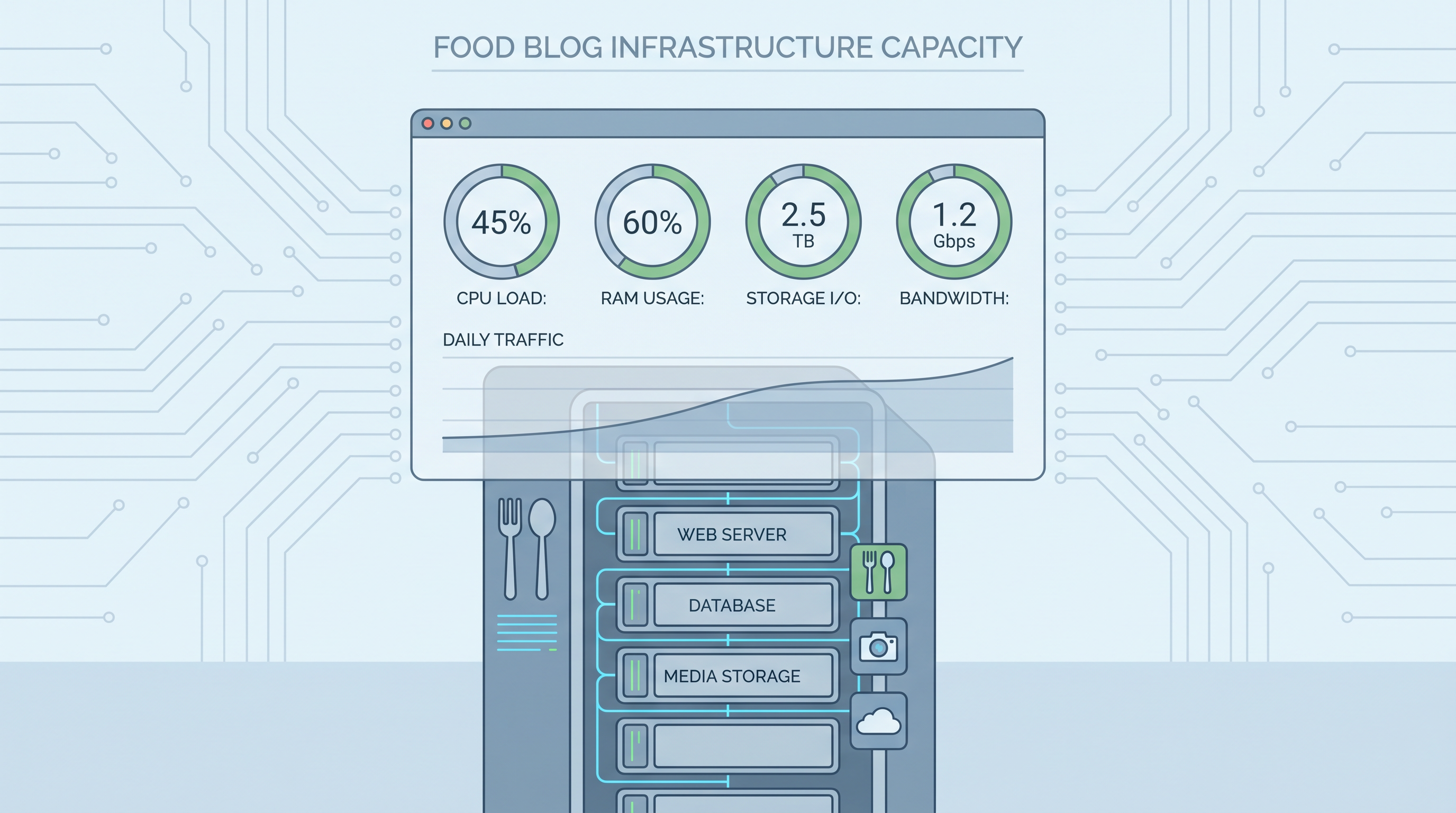
Server CPU Usage: Should stay below 70% during normal traffic. Peaks above 90% indicate need for upgrade or optimization.
Memory Usage: PHP memory limit should never hit maximum during page loads. 80%+ usage indicates insufficient allocation.
Disk I/O Wait: High I/O wait times suggest storage bottleneck. NVMe SSD resolves this issue.
Average Page Load Time: Target under 3 seconds for best user experience and SEO performance.
Set up monthly performance reviews to catch degradation early. Food blogs accumulate images and plugins over time, gradually increasing server load.
Scaling Your Food Blog Server as Traffic Grows
Growth brings challenges. A recipe going viral can overwhelm servers built for normal traffic levels. Plan for scaling before crises occur.
Horizontal vs Vertical Scaling
Vertical scaling means upgrading server resources (more CPU, RAM, storage). Horizontal scaling means adding more servers to distribute load. Most food blogs benefit from vertical scaling until reaching VPS-level resources, then horizontal scaling through CDN and caching layers.
Caching Strategy for Food Blogs
Caching stores generated HTML pages to serve faster without running PHP code or database queries for each visitor. Effective caching reduces server load by 80-95%.
- Browser Caching: Stores images locally on visitor devices. Set cache headers for 1 year on image files.
- CDN Caching: Edge servers cache your images globally. Purge cache when updating images.
- Server-Side Caching: Plugins like WP Rocket or LiteSpeed Cache generate static HTML versions.
- Object Caching: Redis or Memcached speeds up database queries for logged-in users.
When to Upgrade Your Hosting Plan
Watch for these warning signs indicating need for hosting upgrade:
- Page load times consistently exceed 4 seconds
- Server CPU usage regularly exceeds 80%
- 503 errors appear during traffic spikes
- Google Search Console reports Core Web Vitals failures
- Monthly visitors exceed current plan recommendations
Practical Steps to Optimize Your Food Blog’s Server Performance
Implementation matters more than theory. Follow this checklist to improve server performance immediately.
Week 1: Assessment
- Run PageSpeed Insights on your most popular recipe pages
- Check current server resource usage in hosting dashboard
- List all plugins installed and their performance impact
- Calculate current average page size using GTmetrix
Week 2: Image Optimization
- Install image compression plugin (ShortPixel, Imagify, or Smush)
- Convert existing images to WebP format
- Enable responsive image srcset for all new uploads
- Enable lazy loading for all below-fold images
Week 3: Caching and CDN
- Install and configure page caching plugin
- Set up Cloudflare or BunnyCDN for image delivery
- Enable browser caching headers
- Configure cache busting for updated images
Week 4: Review and Adjust
- Re-run performance tests comparing before/after scores
- Monitor server resource usage after changes
- Identify remaining bottlenecks
- Plan server upgrade if still needed
Most food blogs achieve significant performance improvements through optimization alone. Server upgrades become necessary only for very large blogs or extreme traffic scenarios.
Video Guide: Server Optimization for Food Blogs
Watch this practical walkthrough covering server selection, image optimization, and CDN setup for food blogs.
This video covers the fundamentals of choosing appropriate server capacity and implementing optimization strategies that food bloggers actually use. The concepts apply regardless of your current hosting provider.
Ready to Speed Up Your Food Blog?
Start with hosting designed for image-heavy websites. Get fast servers, free CDN, and optimization tools included.
Launch Your Fast Food BlogFrequently Asked Questions
For a food blog hosting 500+ high-resolution images, you need at least 4 CPU cores, 8GB RAM, SSD storage with 100GB minimum space, and unmetered bandwidth or 1TB+ monthly data transfer. Consider NVMe SSD for faster image loading and better concurrent request handling.
Quality hosting for image-heavy food blogs ranges from $15/month for managed VPS to $100+/month for dedicated resources. Cloud hosting typically costs $0.02-0.05 per GB bandwidth used. Budget $30-80/month for optimal performance with room for growth.
Yes, a CDN is essential for food blogs with many images. CDN reduces image load times by 50-80%, distributes bandwidth across global servers, and handles traffic spikes during viral recipe moments. Cloudflare Free or BunnyCDN work well for starting food blogs.
Run Google PageSpeed Insights and GTmetrix to measure current load times. Check server resource usage during peak traffic with tools like New Relic or built-in cPanel metrics. If page load exceeds 3 seconds or server CPU regularly hits 80%+, upgrade your server capacity.
WebP format reduces image file size by 25-35% compared to JPEG while maintaining quality. AVIF offers 50% smaller files than JPEG. Convert food photos to WebP for blog posts and use AVIF for thumbnails. Serve multiple sizes based on device screen for optimal performance.
Upgrade to VPS when your food blog exceeds 50,000 monthly visitors, page load times regularly exceed 4 seconds, you receive errors during traffic spikes, or you host more than 300 high-resolution recipe images. VPS provides dedicated resources and better performance isolation.
Lazy loading defers off-screen image loading until users scroll near them. This reduces initial page payload by 40-60%, decreases server bandwidth usage during page views, and improves Core Web Vitals scores. Implement lazy loading with native HTML loading=’lazy’ attribute or JavaScript libraries.
Conclusion: Building a Fast Food Blog That Handles Heavy Images
Server capacity for image heavy food blogs requires more planning than text-based websites. The combination of multiple high-resolution images per recipe, frequent page views, and growing archives creates unique hosting demands.
Start with appropriate hosting for your current size. Monitor performance regularly. Optimize images before upgrading servers. Most food bloggers find that image optimization and caching provide more performance improvement than server upgrades alone.
As your food blog grows, scale hosting accordingly. Watch for warning signs like slow load times, high server usage, and Core Web Vitals failures. Plan upgrades before crises occur.
The goal remains fast page loads regardless of how many images your recipes contain. Visitors expect instant gratification. Google rewards speed with better rankings. Your food photography deserves servers that deliver it quickly.
Take action today. Run a performance test on your food blog. Check current server resource usage. Implement at least one optimization from this guide. Small improvements compound into significantly faster load times over weeks and months.
Continue Learning
Explore more guides on choosing the best WordPress hosting for food blogs and image optimization for food photography.